Plan your degree.
Open planA free degree planner for Rice students, by Rice students.
Not a spreadsheet. A plan that checks itself.
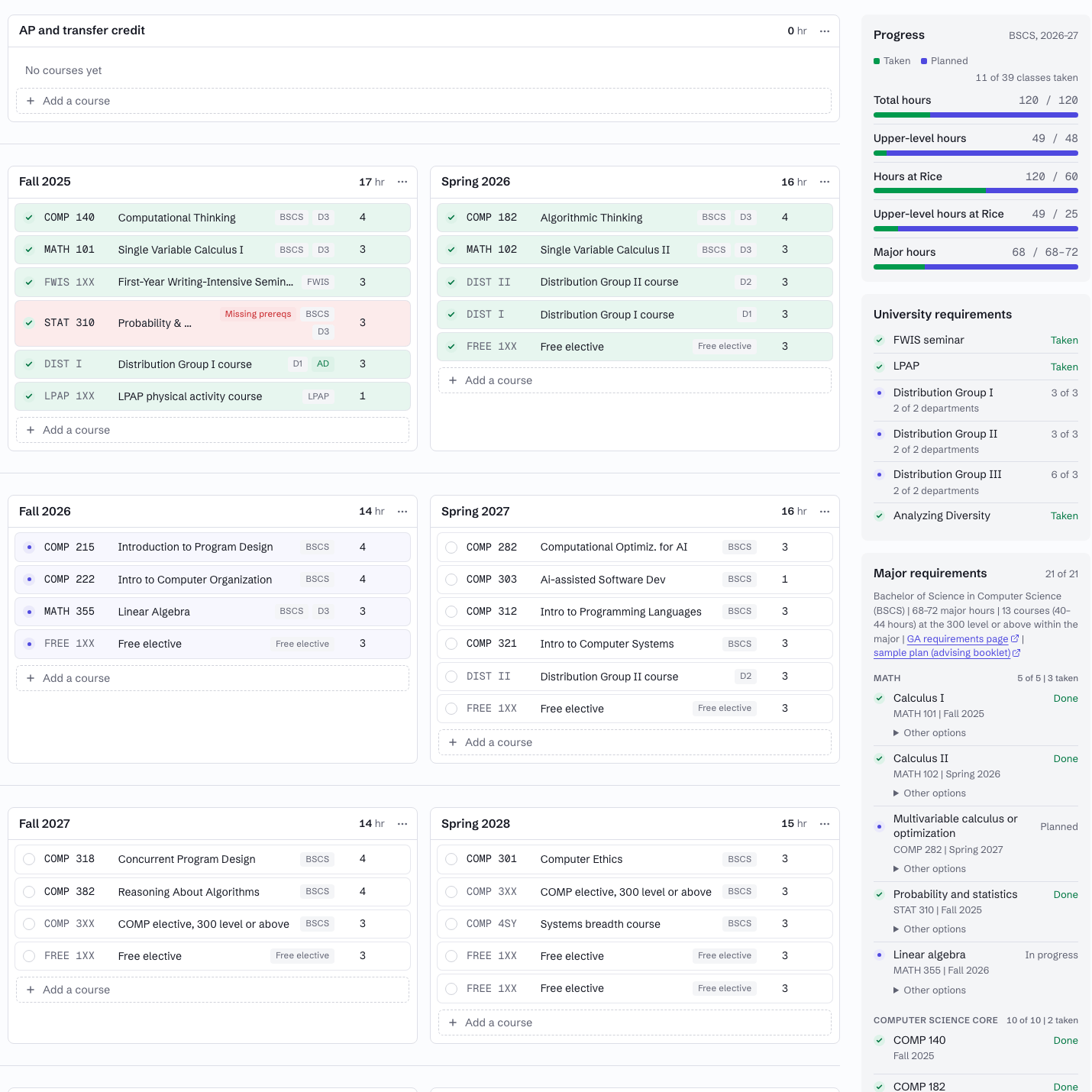
Most students still plan four years in a spreadsheet or on paper, spend hours editing it, and hope they did not miss anything. Vima gives you a flexible planning board that knows the rules, so every change is checked the moment you make it.
Why use Vima?
Three things a spreadsheet, a notes app or a printed worksheet cannot do.
Move things around freely
Drag a course to another semester, park it on the wish list, undo and redo. Vima adapts the whole plan as you go.
Every requirement, checked live
University rules and your major's requirements, for the catalog year you graduate under, re-checked on every edit.
Prerequisites in the right order
A course placed before its prerequisite, or in the same term as its corequisite, is flagged.
What Vima checks
Everything the General Announcements ask of you, read from the edition you follow. Vima is a planning aid: confirm your plan with your academic advisor before you register.
University requirements
Total and upper-level hours, residency, the three distribution groups, FWIS, Analyzing Diversity and LPAP.
Major requirements
Each requirement of your degree, including areas of specialization, as written in your catalog year.
Prerequisites and corequisites
Term by term, including instructor permissions and waivers you record on a course.
Credit loads
Semesters under 12 or over 18 hours, duplicates, and credit values the catalog does not allow.
How Vima works
Three steps, one sitting.
Create an account
Sign in with your Google account. Your plan is saved to it and opens on any device.
Pick your year, major and past courses
Choose your catalog year and degree, then add the courses you have already taken and planned, including AP and transfer credit.
Plan the rest with live feedback
Lay out the remaining semesters. Prerequisites, major requirements and credit loads are checked as you go.
Who Vima is for
Rice students
Every major, every catalog year, free. Sign in with your Rice Google account.
Coming soon
More universities and master's programs.
Contact us
Found a requirement Vima got wrong, or want something it does not do yet? Tell us. Every message is read.